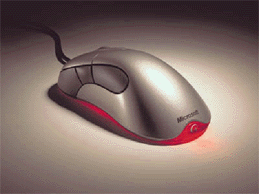
For as long as mice have been a crucial part of a computer peripheral suite, companies have tried countless times to deliver the “Next Big Thing” in mouse innovations. Such bizarre creations as the joystick mouse and the wireless remote trackball have been the results. Most of such designs have failed and were never able to attain recognition. Software giant Microsoft has now entered the market with it’s newest attempt at innovation, the MS Intellimouse Explorer. Does the Explorer live up to its self-proclaimed hype as the first good change since the inception of the mouse? Read on.
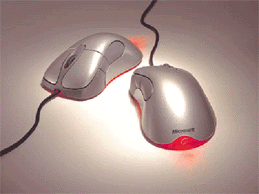
Upon initial inspection of the mouse, it’s smooth curves and futuristic color scheme do give a very pleasant initial impression. The optical eye located on the bottom of the mouse is certainly an odd change from the standard mouse ball, but a combination of weight and a strong plastic casing bode well for this entry. The mouse comes standard as a USB device, with the newest version of the MS Intellimouse software package on CD. The mouse also includes a PS/2 adapter for those of you who are still USB challenged. Included documentation was adequate, but not shining in any respect. Getting the mouse set up was a bit more interesting.
Beginning with USB, the mouse was detected immediately on insertion into the system, and called for the installation CD. Software installation was smooth and painless. After a single restart, the software configured and detected the mouse, and called for a final restart of the computer. Once the system came up, there was no activity from the mouse whatsoever. The system was well aware, however, that there was no PS/2 mouse installed. After some brief troubleshooting, the USB functionality of the mouse could not be verified, and I was unable to test it. Moving to PS/2, the mouse was much smoother. After inserting the mouse and powering on the system, the mouse configured and run just fine. The configuration software itself is done in Microsoft style, and well organized. The mouse has 5 available buttons to customize, as well as mouse wheel functions. All of the buttons can be changed to various settings, except for the left mouse button, from software specific functions such as auto scroll to simple keyboard key emulation. Mouse orientation and pointer options are all there as well.
Once installation was complete, the mouse was very pleasant to use. Desktop functions were flawless, with the eye cleanly detecting motion both across the desk surface, as well as the 3M Precision Mousing Surface. The default mouse rate of the Intellimouse software must be higher than Windows default, as I did notice an increase in the motion rate of the pointer once the software was loaded. One note: while the mouse is in motion, the ambient red glow from the bottom does increase, allowing for more accurate detection of the changing surface. This does make for a very eye catching effect, especially in a dark computing environment. The mouse does have its drawbacks however. Most noticeable is the bulk of the device; this mouse is large. The size can make manipulation of the mouse a bit difficult from the onset, but adjustments can be made in grip to compensate the girth. The other outstanding fault resided in the thumb buttons. Due to the large size of the mouse, the thumb buttons are located too far back on the mouse to allow for use without reaching. The buttons themselves seem to be slightly loose, and do not convey the sturdy feel that the rest of the mouse does.
Testing then moved to the performance of the mouse in a gaming environment. Unreal Tournament, Quake 3 Test, and Homeworld were those selected. The mouse performed much like previous Microsoft entries, with decent response, and smooth function. All three games ran well, and were easy to manipulate using the mouse. It should be noted however, that on some surfaces such as mouse pads made by Everglide, as well as clear or opaque white surfaces, the mouse would lose its response either slightly or altogether. This seems to be due to the mouse eye being unable to track the changes in these surfaces. Fast movements seem to throw the mouse slightly off track on any surface other than the 3M surface, where I had no sensing problems at all. Game performance overall seems to reach a simple average, with nothing about the mouse standing out other than the number of buttons, and the smooth motion of the mouse wheel.
Microsoft has managed to create a very high quality mouse for the home user, with the precision and ease of use that has come to be expected in a higher end application mouse. Gamers however might find something lacking from the mouse after shelling out the cash for what is inherently a smooth operating Intellimouse. The product is an overwhelming average, with points scored for the ergonomics and pseudo-modern design. For those of you looking for something to catch the eye, and tread just off the beaten path, without creating your own, look no further than the Intellimouse Explorer. However, if you’re still holding out for the end all of precision gaming mice, pass over this one and look into the Razer Boomslang which we will feature here next month,.
Evan “|6|” Sutton
All products mentioned are trademarks of their respectable owners.
Images of the Intellmouse Explorer taken from www.microsoft.com.
The Collusion Group is in no way associated with the mentioned parties.
|